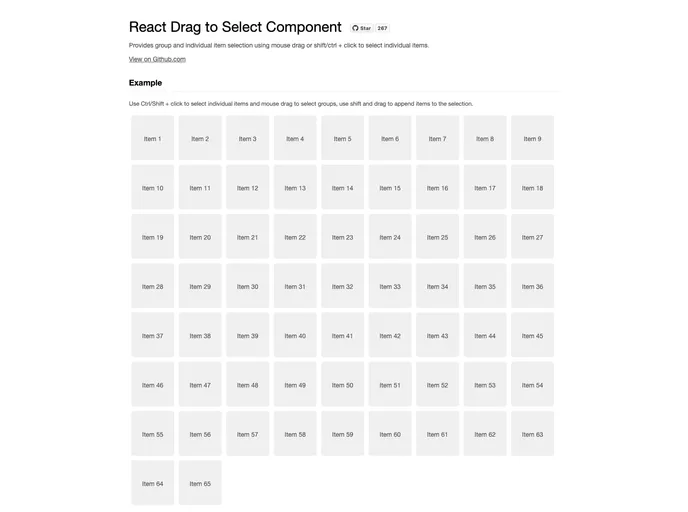
Drag select React component
The React Drag to Select Component is an innovative solution designed to enhance user experience by allowing for effortless selection of items in a list. With support for mouse drag and keyboard shortcuts, this component is ideal for applications requiring group or individual item selection without the hassle of complex interfaces.
This component offers a straightforward way to manage selections in a user-friendly manner, making it perfect for developers looking to implement dynamic selection functionality in their React applications. Whether you’re selecting multiple items in a list or just a few individual selections, this component seamlessly accommodates diverse selection needs.
Manual Selection Control: With the selectItem(key, status) method, you can manually set an item’s selection status by its unique identifier, providing additional control over your list.
Select All Functionality: The selectAll() method allows you to quickly select every item in the list, streamlining workflows and enhancing productivity.
Clear Selection Option: The clearSelection() method gives the ability to deselect all currently selected items, offering a simple way to reset the selection state.
Enables Drag to Select: The enabled property allows you to easily enable or disable the drag select behavior, giving you flexibility based on user requirements.
Selection Change Callback: The onSelectionChange callback function is invoked whenever the selection changes, receiving item keys as arguments to help in managing selection state effectively. This facilitates reactive updates in your application.
Versatile Selection Methods: Supports both mouse drag and keyboard shortcuts (shift/ctrl + click) for selecting multiple items, catering to different user preferences.
Lightweight and Efficient: Designed to be lightweight, this component integrates smoothly without adding unnecessary bloat to your application.
Customizable Options: Provides options for developers to integrate the selection functionality according to specific application needs, enhancing usability.

