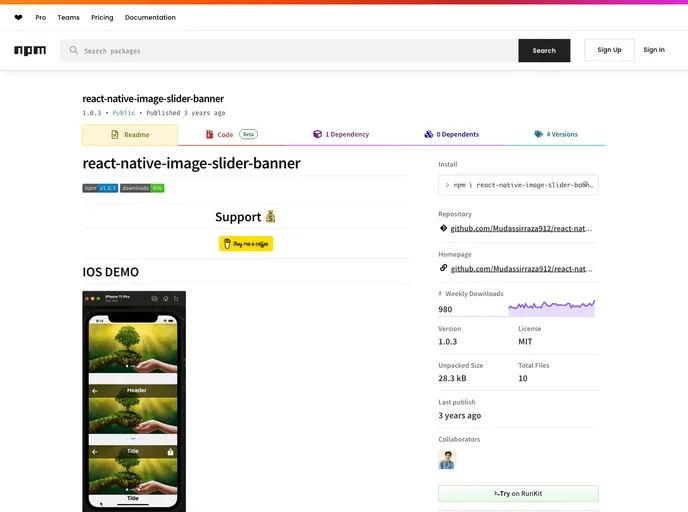
A simple and fully customizable React Native Component that implements Image and Banner Slider UI with animations.
The React Native Image Slider Banner is an intuitive and flexible library that offers a straightforward solution for integrating image sliders into your mobile applications. With its user-friendly interface and customizable features, this library allows developers to create stunning image displays that elevate the aesthetics of any app. Whether you’re showcasing products, portfolio pieces, or simply captivating visuals, this slider can adapt to your needs while maintaining excellent performance across both iOS and Android platforms.
This library supports various image sources, enabling you to incorporate both local images and external URLs seamlessly. With additional customization options, you can personalize the slider’s appearance, making it an ideal choice for developers looking to enhance user engagement and visual appeal in their applications.
Supports Multiple Image Sources: Easily utilize an array of image paths, whether they are local assets or external URLs, to create a dynamic gallery.
Customization Options: Adjust the appearance with props for headers, styles, and components to ensure the slider fits your app’s design perfectly.
Auto-Play Feature: Activate auto-scrolling with a simple boolean prop, allowing for a hands-free viewing experience that captivates users.
Header Components: Customize the slider’s header with left, right, and center components to provide additional context or branding.
Preview and Carousel Styles: Tailor the styles of preview images and carousel containers to align with your overall application aesthetic.
Timer Adjustments: Change the interval of the image transitions with the timer prop, enabling more control over the viewing experience.
Indicator Customization: Show indicators for current image status and modify their styles to enhance visibility and user interaction.

