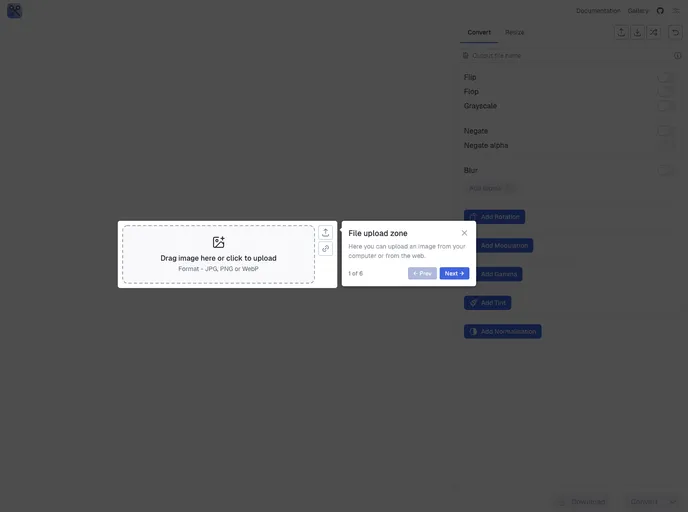
Scissors screenshot

Scissors

Author Avatar Theme by Miraclehorizon
Updated: 2 Aug 2025
16 Stars

Your awesome application for universal image formatting and processing

Categories

Overview

“Scissors” is an innovative image editing tool designed to offer a variety of features that cater to both casual users and professional creatives. With a sleek interface and support for multiple functionalities, it aims to provide users with an efficient way to manipulate images with precision and ease. Whether you’re looking to simply resize an image or delve into more advanced features like quality control and color adjustments, “Scissors” stands out as a versatile option.

This application not only prioritizes functionality but also enhances user experience with customizable options such as dark mode and theme colors, making it visually appealing and user-friendly. With a focus on seamless integration and modern technologies, “Scissors” is developed to support users’ needs across different levels of expertise.

Features

  • Dark Mode: Easily switch to a dark theme for comfortable viewing during nighttime editing sessions.
  • Theme Color: Personalize your workspace with customizable theme colors to suit your style.
  • Export / Import Settings: Save your preferences and easily transfer them between devices for consistent editing.
  • Documentation: Comprehensive guidance is available to help users get the most out of all features and tools offered.
  • Gallery: Access a built-in gallery to manage and view your projects efficiently.
  • Image Manipulation: Key features include rotation, resizing, extending, and trimming for precise editing.
  • Quality Control Tools: Adjust images with options such as gamma correction, grayscale, and tint for enhanced quality.
  • Multiple Format Support: Compatibility with formats like PNG, JPEG/JPG, and WEBP ensures flexibility in file handling.