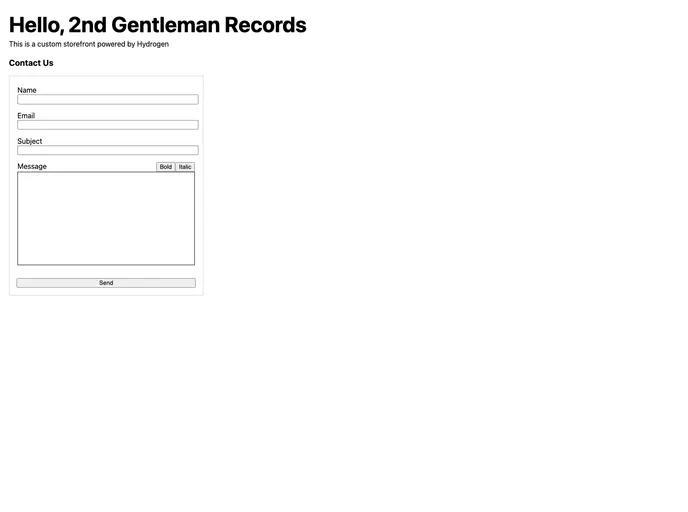
Hydrogen Contact Form Metaobject screenshot

Hydrogen Contact Form Metaobject

Author Avatar Theme by Juanpprieto
Updated: 20 Apr 2023
12 Stars

Hydrogen basic contact form using a custom metaobject and the Admin API

Categories

Overview

Hydrogen Contact Form is a feature provided by the Hydrogen stack, Shopify’s headless commerce system. It allows users to add a simple contact form to their website and manage the creation of contact form entries. This article provides a guide on how to install and set up the contact form.

Features

  • Simple contact form creation
  • Management of contact form metaobject entries
  • Integration with Shopify’s full stack web framework, Remix
  • Includes Remix, Hydrogen, Oxygen, Shopify CLI, ESLint, Prettier, GraphQL generator, TypeScript, and JavaScript flavors
  • Minimal setup of components and routes

Installation

To install the Hydrogen Contact Form, follow these steps:

  1. Ensure you have Node.js version 16.14.0 or higher installed.
  2. Update the .env file with your shop’s domain and Storefront API token.
  3. Add the following additional environment variables:
    • PRIVATE_ADMIN_API_TOKEN: string (restrict the scope of this token to metaobjects write only)
    • PRIVATE_ADMIN_API_VERSION: string
  4. Build for production by running the necessary commands.
  5. Start local development.

Summary

The Hydrogen Contact Form is a useful feature provided by Shopify’s headless commerce system. It allows users to easily add a contact form to their website and manage the entries submitted through the form. The installation process is straightforward and requires a few steps to set up the necessary environment variables and build for production. With the Hydrogen Contact Form, users can enhance their website’s functionality and improve customer interaction.