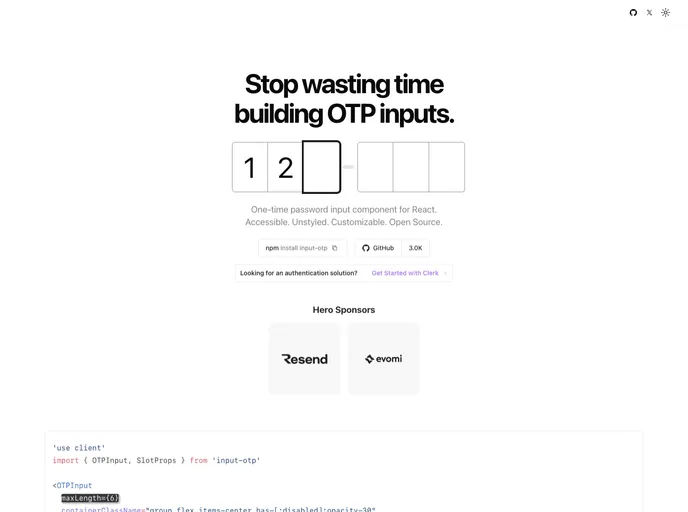
One time passcode Input. Accessible & unstyled.
The Input OTP component for React by @guilhermerodz is an innovative solution designed for One-Time Password (OTP) input processing. Unlike traditional methods that rely on simple text inputs or convoluted designs, this component stands out for its accessibility and functionality. It is crafted to seamlessly integrate into any React application while focusing on user experience for both the visually impaired and sighted users.
This component not only fills a notable gap in the market but also addresses the key challenges presented by existing OTP inputs. With its elegant and invisible design principles, developers can create a fully customized user interface while ensuring that the component remains fully functional and accessible.
Accessibility First: The Input OTP component is built with accessibility in mind, allowing screen readers to interpret and read the OTP without losing visual clarity.
Fully Featured: This is the most comprehensive OTP input available, equipped with essential features that enhance user interaction while maintaining simplicity.
Customizable Interface: Developers can design their UI based on the functional input without visual constraints, allowing complete creative freedom.
Smart Password Manager Support: Automatically detects popular password managers like LastPass and adjusts the input width to enhance user experience while maintaining the layout integrity.
Invisible Input Mechanics: Utilizes an invisible input field that ensures compatibility with various input styles and allows for the display of characters in separate divs if desired.
Flexible API Reference: Offers a straightforward API for easy integration into applications while allowing detailed customization through props.
Optional Password Manager Blocking: For those who prefer to have more control, there’s an option to disable automatic adjustments for password managers, allowing developers to tailor their usage to specific needs.
Responsive Design: The component auto-manages layout shifts and aligns properly, ensuring a cohesive appearance whether on desktop or mobile platforms.

