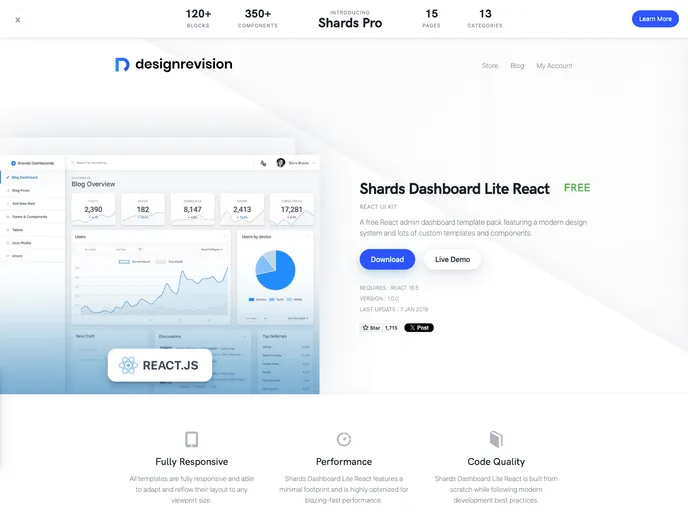
Shards Dashboard React screenshot

Shards Dashboard React

Author Avatar Theme by Designrevision
Updated: 7 Jan 2019
1777 Stars

A free and beautiful React admin dashboard template pack.

Categories

Overview:

This is a product analysis for the Shards Dashboard React theme. The theme is built using Shards React, Chart.js, Flux, No UI Slider, React Datepicker, and Quill. It provides a collection of templates and components for building dashboards. The project structure is based on Create React App and uses Flux for state management.

Features:

  • Shards Dashboard Pro React: A pro version of the theme that offers additional custom templates and components.
  • Chart.js: Provides utilities for creating and displaying charts within the dashboard.
  • Flux: Used for state management, with Flux-specific files located inside the src/flux directory.
  • No UI Slider: Allows for the creation of sliders within the dashboard interface.
  • React Datepicker: Provides a user-friendly datepicker component.
  • Quill: Enables the inclusion of a rich text editor within the dashboard.

Installation:

To install the theme, follow these steps:

  1. Download the Sketch files from the official product page.
  2. Install dependencies by running yarn or npm install.
  3. Start the local development server by running yarn start or npm run start.

Summary:

The Shards Dashboard React theme provides a collection of templates and components for building dashboards. It is built using Shards React, Chart.js, Flux, No UI Slider, React Datepicker, and Quill. The project structure is based on Create React App and utilizes Flux for state management. Overall, it offers a comprehensive solution for creating visually appealing and functional dashboards.