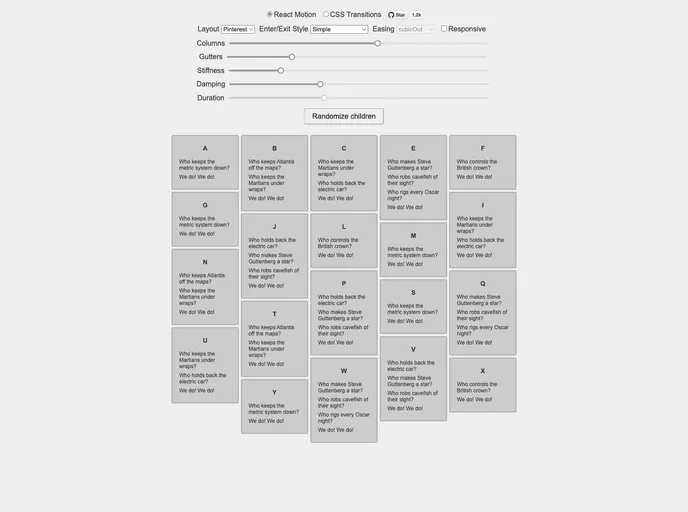
Animated grid layout component for React
React-Stonecutter is an innovative animated grid layout component designed specifically for React applications, drawing inspiration from the popular Masonry layout. This component allows developers to create visually captivating layouts that can efficiently adapt to varying content heights and screen sizes. With the option to choose between CSS Transitions or React-Motion for animations, it provides flexibility and performance tailored to modern web development needs.
Whether you’re building a Pinterest-style gallery or a dynamic dashboard, React-Stonecutter offers exceptional features that streamline the layout process while delivering stunning visual effects. The ease of integration and the advanced capabilities make it a go-to choice for developers who seek to enhance their UI with a responsive and beautifully animated grid system.
Dynamic Column Management: Utilize the makeResponsive higher-order component to adjust the number of columns dynamically based on viewport width, optimizing the user experience across devices.
Height Measurement: The measureItems component allows the grid to accurately assess the heights of items in real-time, ensuring a visually cohesive layout even when content varies.
Custom Layouts: Create bespoke layouts using your own functions or leverage included layouts, giving you full control over how items are arranged within the grid.
Animation Flexibility: Choose between CSS Transitions or React-Motion for animations, allowing you to tailor the look and feel of item transitions as they enter or exit.
Unique Animation Control: Customize how items animate with functions to define their opacity and transform states, providing a richer animated experience for users.
Extensive Transform Support: Animate various CSS transform functions individually including translate, scale, and rotate, for more nuanced and engaging animations.
Customizable HTML Elements: Change the HTML tag for the Grid element to better suit your application’s structure, allowing for greater flexibility in markup.
3D Transform Perspective: For 3D effects, the perspective property can be adjusted to enhance the appearance of items under rotation, adding depth to your layouts.

