Overview
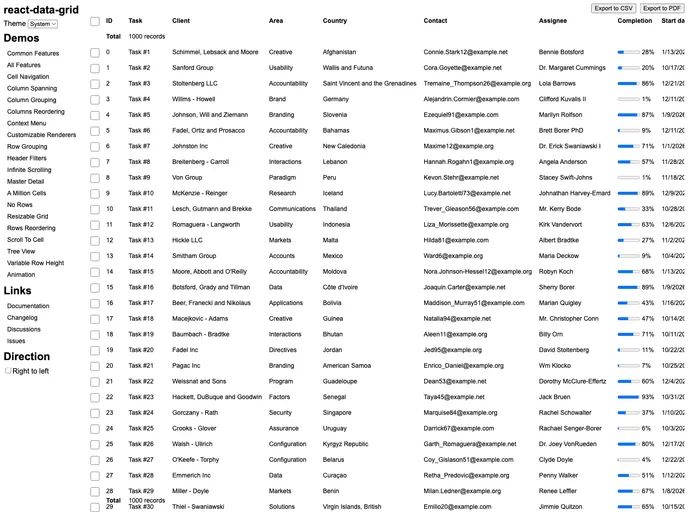
The DataGrid component is a powerful tool designed to handle large datasets with both efficiency and flexibility. It provides a robust set of features that cater to the needs of developers looking for a comprehensive solution to manage and present data in their applications. Whether you’re working on a simple project or a complex web application, the DataGrid offers the customization options and performance enhancements necessary to create an engaging user experience.
With support for the latest versions of React and evergreen browsers, the DataGrid seamlessly integrates into existing workflows. Its accessibility features and out-of-the-box support for light and dark themes make it a versatile choice for developers who prioritize both functionality and aesthetics in their applications.
Features
- React 19.2+ Support: Built to leverage the latest enhancements in React, ensuring compatibility with current and future updates.
- Performance Optimization: Utilizes virtualization to only render columns and rows that are in view, which significantly boosts performance even with large datasets.
- TypeScript Support: Strictly typed, making it easier to manage data and reduce errors in your code.
- Keyboard Accessibility: Designed with accessibility in mind, allowing keyboard navigation for a more inclusive experience.
- Customizable Themes: Supports both light and dark modes, responding to users’ system preferences or allowing specific themes through easy configuration.
- Dynamic Row Heights: Offers flexibility in displaying data by allowing for varying row heights tailored to the content.
- Column Manipulation: Provides features for resizing, sorting, and grouping columns, enhancing the user’s ability to interact with and organize their data effectively.
- Cell Functionality: Includes capabilities for editing, formatting, and copying cell data, along with drag-and-fill features for ease of use.