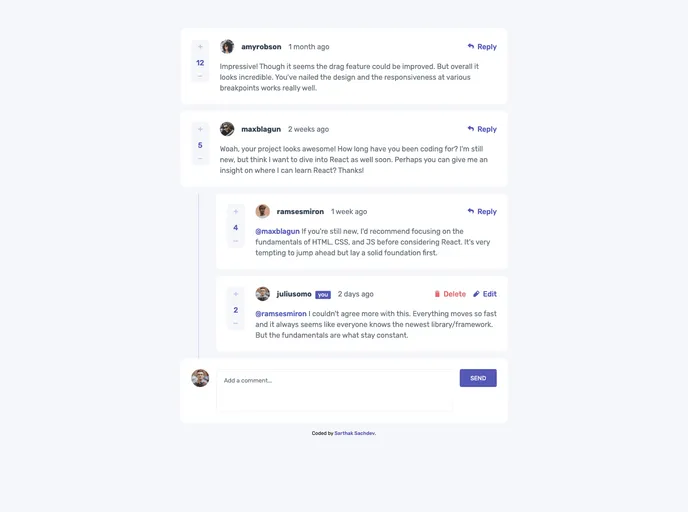
Welcome to the Interactive Comments Section project, an interactive comment section component beautifully designed for the best user interaction. Enjoy the bonus feature of using localStorage to save the current state in the browser, which persists even when the browser is refreshed. Dive into th...
The Interactive Comments Section is an innovative component designed to enhance user interaction on web applications. Focusing on providing an optimal layout for different screen sizes, this feature allows users to not only engage with comments seamlessly but also manage them effectively. It supports creating, reading, updating, deleting comments, and even offers upvoting and downvoting functionalities, making it an essential tool for any interactive platform.
What sets this component apart is its responsiveness and attention to detail in user experience. By incorporating CSS media queries, the design ensures that all interactive elements display hover states, giving immediate feedback to the users and enhancing engagement. This is a perfect addition for developers looking to enrich their applications with robust user interaction capabilities.
Responsive Design: The component adapts seamlessly to different screen sizes, ensuring optimal viewing across devices.
Interactive Elements: All interactive components feature hover states, providing users with immediate visual feedback.
Full Comment Management: Users can create, read, update, and delete comments and responses, offering a complete interaction experience.
Voting System: The upvote and downvote options enable users to express their opinions and influence the visibility of comments.
Optimized Assets: All necessary design assets are well-organized and optimized, making it easy for developers to implement the component.
Guided Documentation: A comprehensive style guide is included, detailing color palettes and fonts to maintain design consistency.
Learning Opportunities: The project allows developers to improve their skills in crucial areas such as flex-box layout, responsive design techniques, and JavaScript async functionality.

